
Lupe – QR code and barcode scanner for the PC
Every code, from anywhere.
Lupe is barcode scanner software for Windows, Linux and macOS: it reads QR codes and barcodes from a webcam, from any part of the screen, from image files and from the clipboard – and copies the content, types it into the window you were working in, or opens it as a link. Lupe works offline and is free of charge under the MIT licence.
Coming soon: Download and source code will be published with the public release. If you would like to test ahead of it, sign up for the beta – we will get back to you personally.
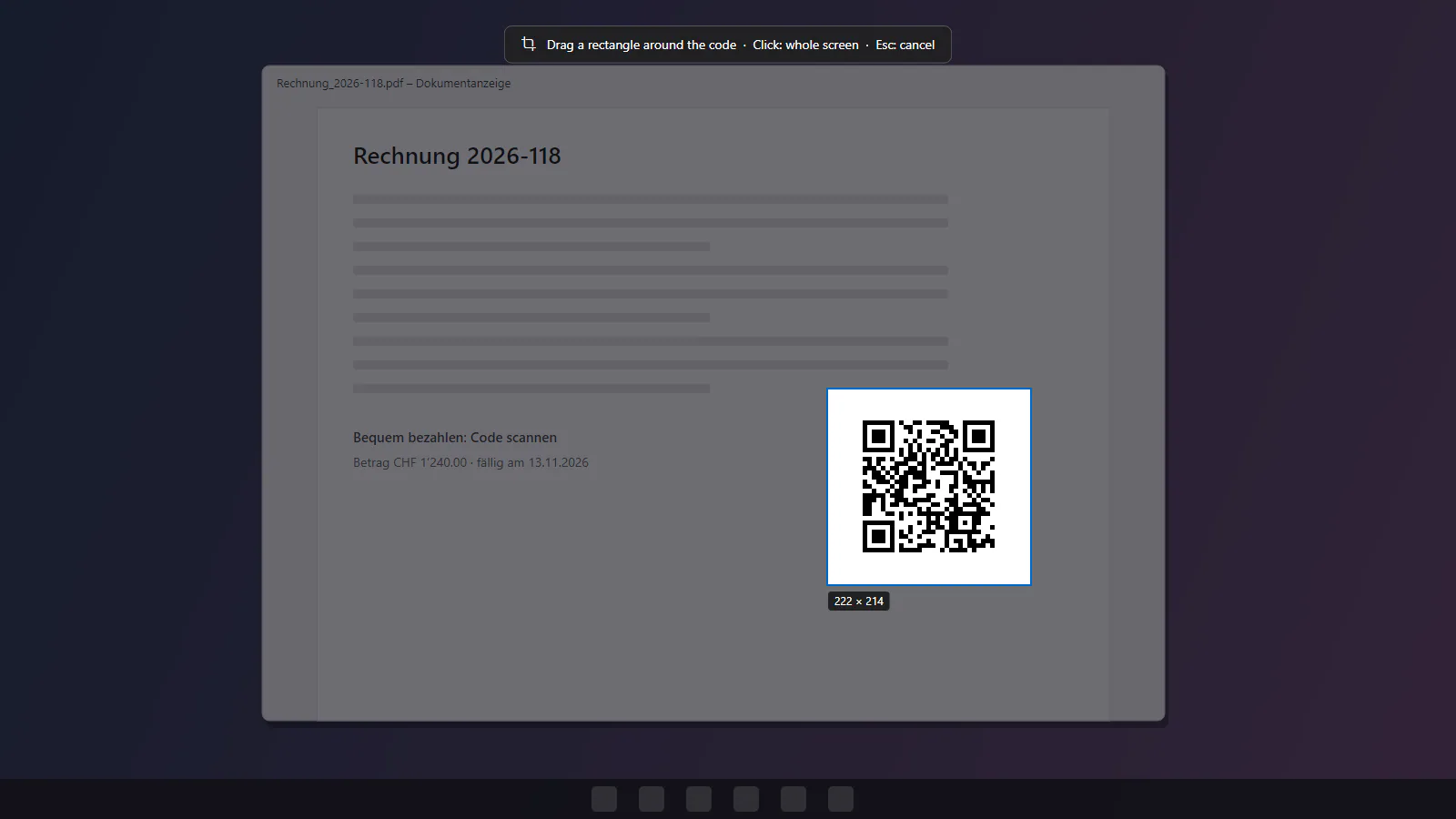
Scan a QR code on your PC – without a phone
QR codes and barcodes often sit exactly where a phone does not help: in a PDF invoice, an e-mail, a web page, a video call or on a delivery note next to the computer. As a QR code reader for PC, Lupe reads them directly and hands the content on to where it is needed – the clipboard, keyboard input into a form, or a link.
Read a QR code from the screen – and barcodes too
Press Win+Shift+Q in any program and drag a rectangle around the code – across all monitors, also with the Lupe window closed. A click without dragging takes the whole monitor, Esc cancels; on the Mac the shortcut is ⌘+⌥+Q. Small codes on big screens are found through an overview plus overlapping tiles in full resolution, and if needed in a thorough second pass. You scan a barcode from the screen the same way, for example the EAN in a web shop or the Code 128 on a delivery note PDF.
Webcam as a barcode scanner
Hold a code in front of the camera: Lupe marks it and beeps. With typing switched on, the webcam works like a hand scanner and types every code into the program in front, such as Excel or an ERP form. The same code is reported again only after it has been out of sight for three seconds.
Codes from images, screenshots or the clipboard
Open an image, drag it onto the File page or press Ctrl+V: Lupe finds every code in the picture and numbers it in reading order. Which image formats work depends on the system: on Windows PNG, JPEG, BMP, GIF, TIFF, ICO and JPEG XR, plus WebP, HEIC, AVIF and JPEG XL with the matching image extension from the Microsoft Store; on Linux PNG, JPEG, BMP, GIF, WebP and ICO; on the Mac PNG, JPEG, GIF, BMP, TIFF, HEIC, WebP and ICO.
Type, copy or open codes as links
-
Typing independent of the keyboard layout
Unicode keyboard input: umlauts, € and emoji arrive as they are – in the window that was active before the scan, optionally followed by Enter or Tab.
-
Link rules
A regular expression and an optional prefix turn a code into a link, e.g. an EAN into the item page of your ERP. Only http and https are ever opened; behind a prefix with a host, the host stays fixed.
-
Every code in the picture
Several codes are reported in reading order. After a screen scan you pick one or copy them all, one per line.
-
History with CSV export
Everything Lupe has read, searchable and exportable as CSV for Excel – stored per user, or switched off, which deletes the file.
-
Command line
Lupe.exe read *.png(orlesen; on Linuxlupe read) prints one line per code (format, tab, content) with exit codes 0, 1 and 3 for scripts – without a window and without storing anything. -
Notification area and autostart
Lupe keeps running in the notification area with its shortcut active; optionally it starts with Windows.
Supported formats: QR Code, Data Matrix and barcodes
22 formats through the zxing-cpp library: QR Code, Micro QR Code, rMQR, Data Matrix, Aztec, PDF417, MicroPDF417, MaxiCode, Code 128 (including GS1-128), Code 39, Code 93, Codabar, ITF (including ITF-14), EAN-13, EAN-8, UPC-A, UPC-E, GS1 DataBar, GS1 DataBar Expanded, GS1 DataBar Limited, Telepen and the DX code on 35 mm film.
Light codes on dark backgrounds – dark mode, displays – are read by the screen scan, from files, the clipboard and the command line; the camera reads light 2D codes.
Switching from commercial desktop QR readers: Lupe as an alternative
If you read QR codes on your PC from the screen or from image files with a commercial desktop QR reader today: Lupe does the same job and offers:
- Screen scan by hotkey (Win+Shift+Q) across all monitors, also with the window closed
- Codes from image files, the clipboard and a webcam – 22 formats, not just QR Code
- Copy the result, type it into the program you came from, or open it as a link through a link rule
- Windows 10 and 11, Linux and macOS; offline, no telemetry, no licence key, free of charge under the MIT licence
Lupe reads codes but does not create them – there is no QR code generator built in.
System requirements
- Windows
- Windows 10 version 1809 or later, or Windows 11, x64 – MSI, single Lupe.exe or ZIP
- Linux
- x64 and arm64, X11 and Wayland, glibc 2.31 or later (Ubuntu 20.04, Debian 11 and newer) – .deb (x64) for Debian and Ubuntu, tar.gz for x64 and arm64
- macOS
- macOS 12 or later, Apple Silicon and Intel – Lupe.app (not yet notarised)
- .NET
- included in every package except the framework ZIP
- Camera
- optional; on Windows any webcam that Windows offers to apps
- Language
- English and German; Spanish, French and Chinese (simplified) machine-translated, not yet reviewed – follows the system language, can be switched
Limits, honestly
- Pre-release 0.1.1, not code-signed and not notarised on macOS: SmartScreen and Gatekeeper warn on first start.
- The camera path is tested against a simulated frame source only, not with a real webcam.
- Linux and macOS are new and less tested than Windows; on a real Mac, Lupe has so far only been started (window, demo camera, command line) – the screen scan, typing, the shortcut and a real camera are untested there. On Wayland, the screen scan, typing and the shortcut go through the desktop portals, which not every desktop offers.
- Lupe cannot type into a program that runs as administrator – it detects this and says so.
- Control characters are not typed, e.g. the group separator in GS1 codes. EAN/UPC add-ons are not part of the result; Intelligent Mail, MSI, Pharmacode and Plessey are not supported.
What Lupe looks like
Screenshots with sample data from the demo mode (German user interface).
-
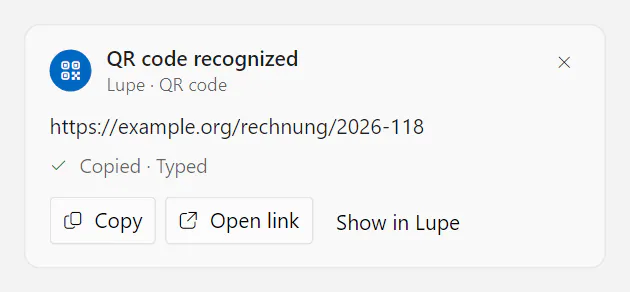
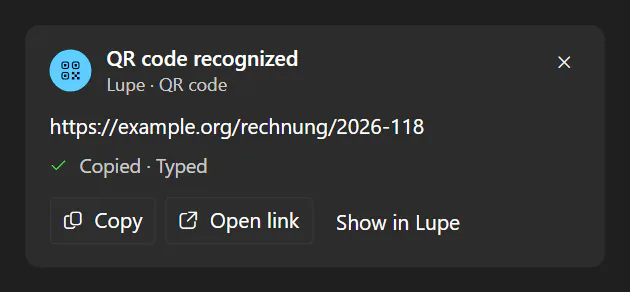
Typed into the app you came from With typing switched on, the content goes into the window that was active before the scan – as keyboard input, optionally followed by Enter or Tab. -
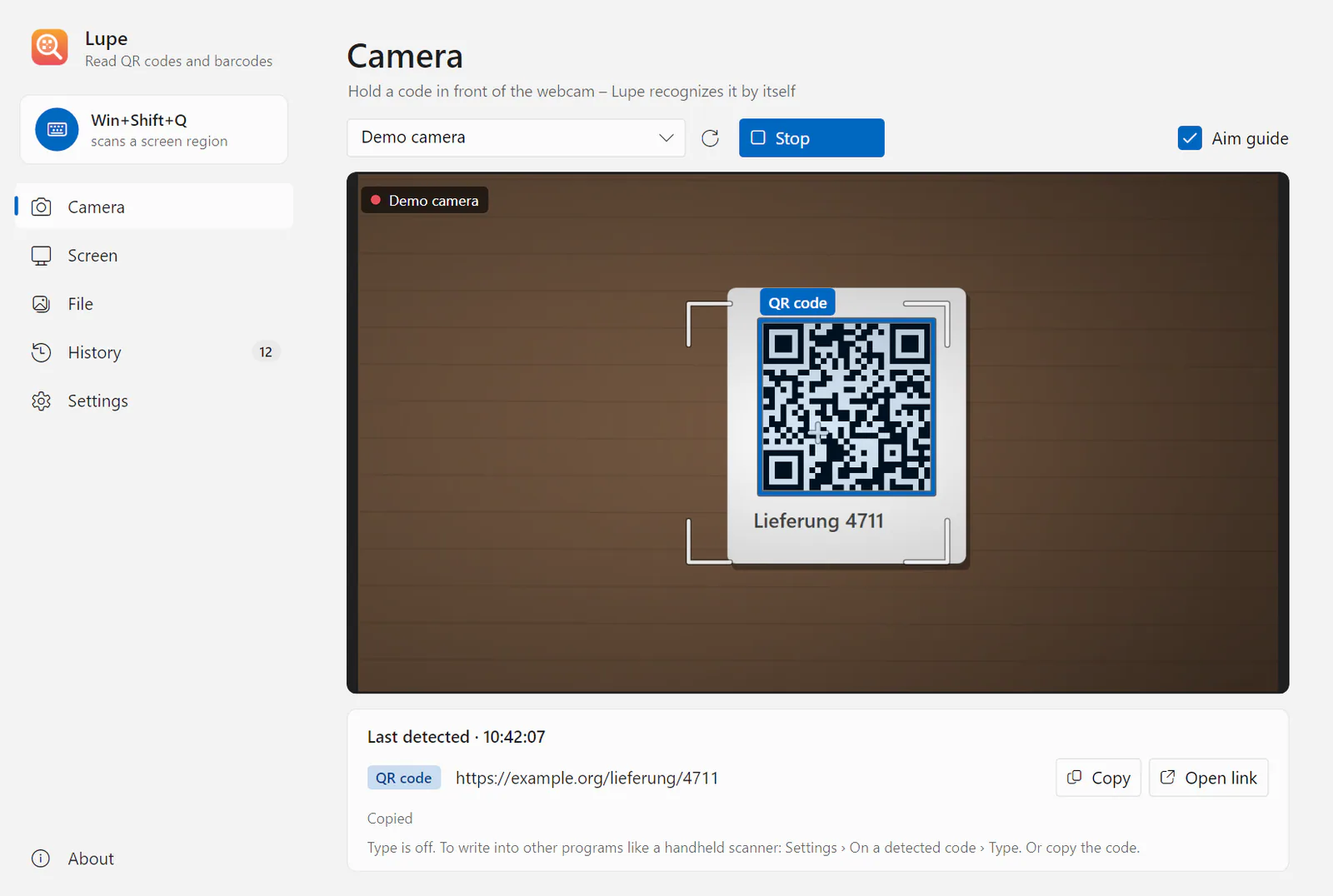
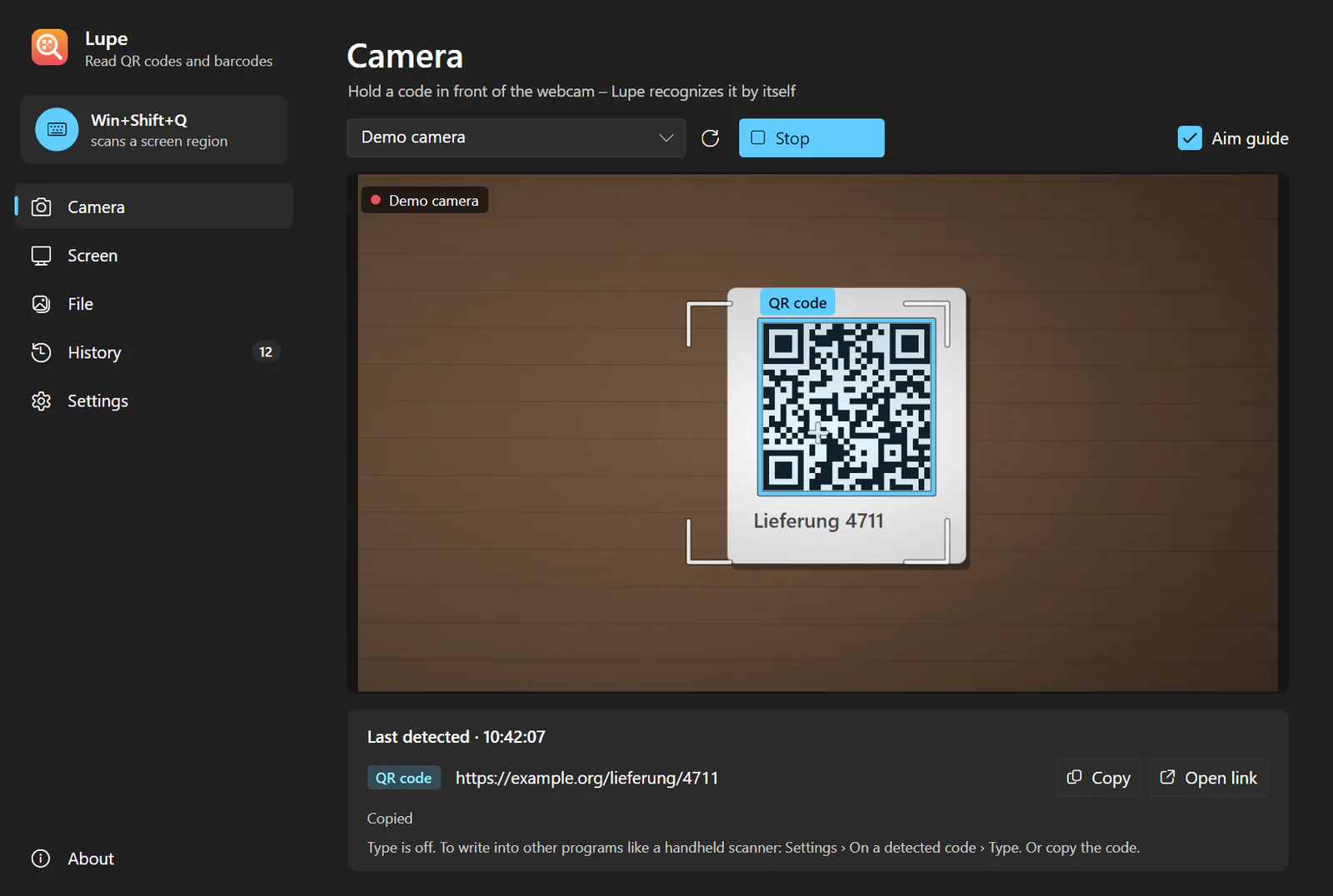
Webcam as a barcode scanner Hold a code in front of the camera. Lupe marks it and beeps; the same code is reported again only after it has been out of sight for 3 seconds. -
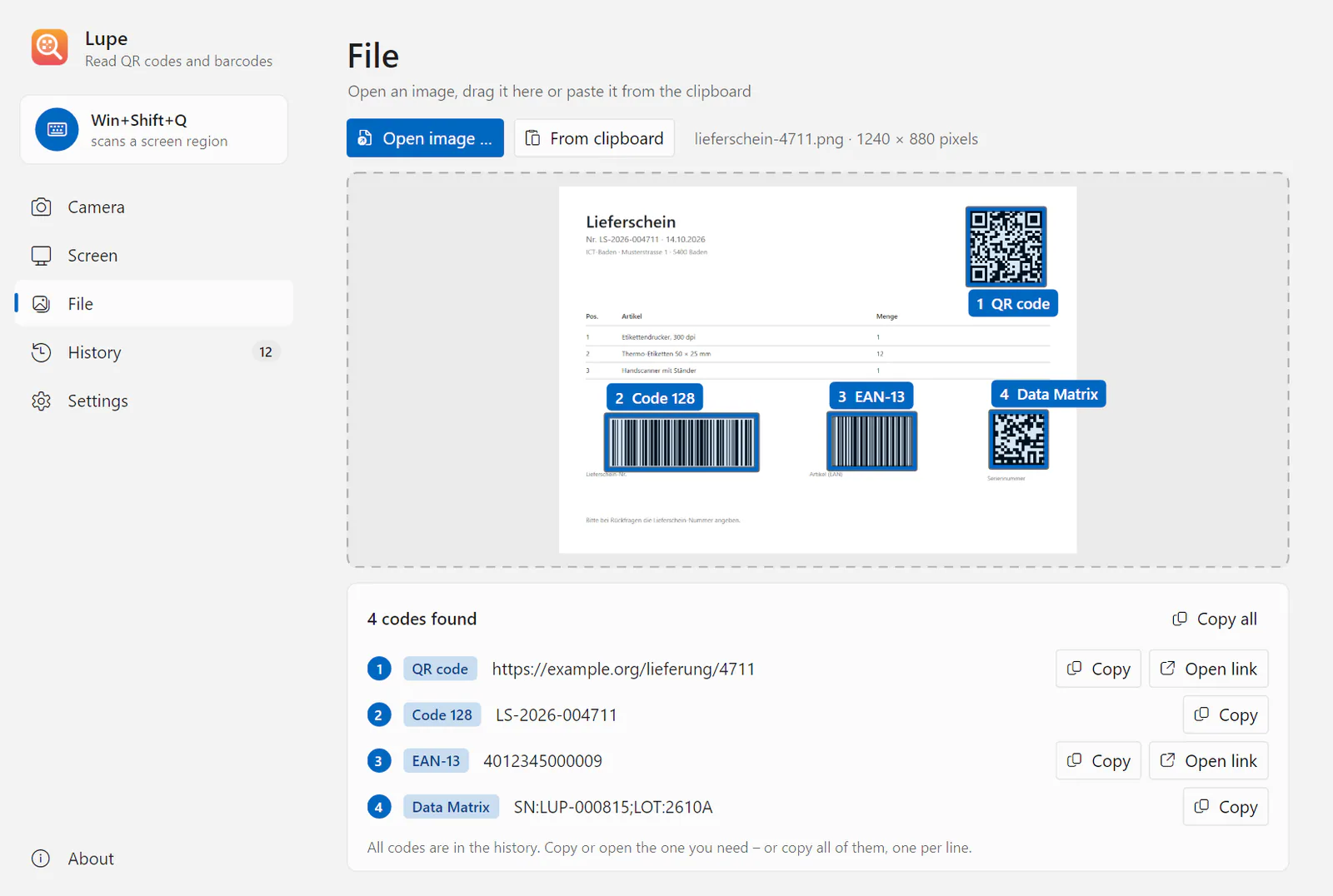
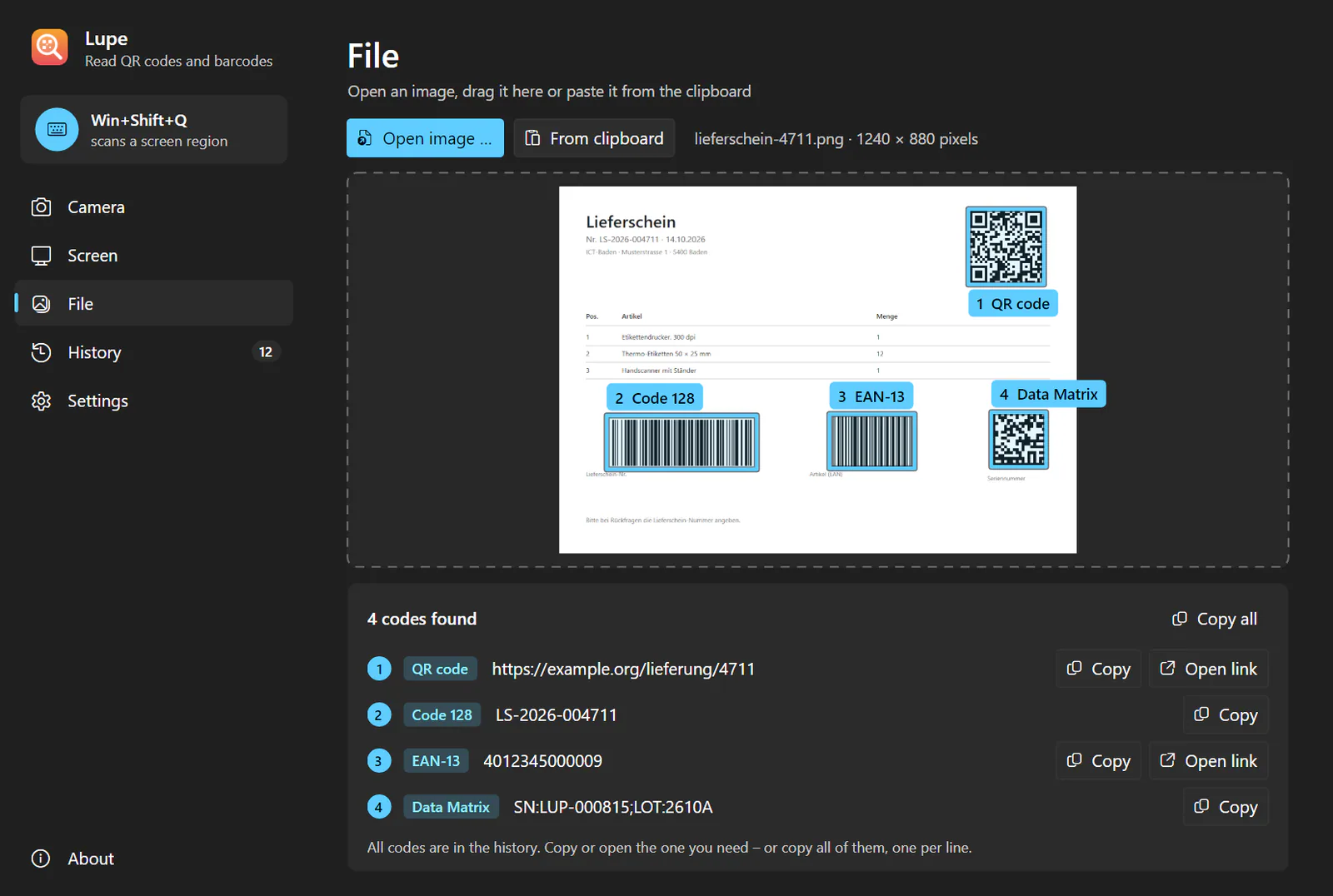
Image files and clipboard Open an image, drag it onto the File page or press Ctrl+V. Every code in the picture is found and numbered. -
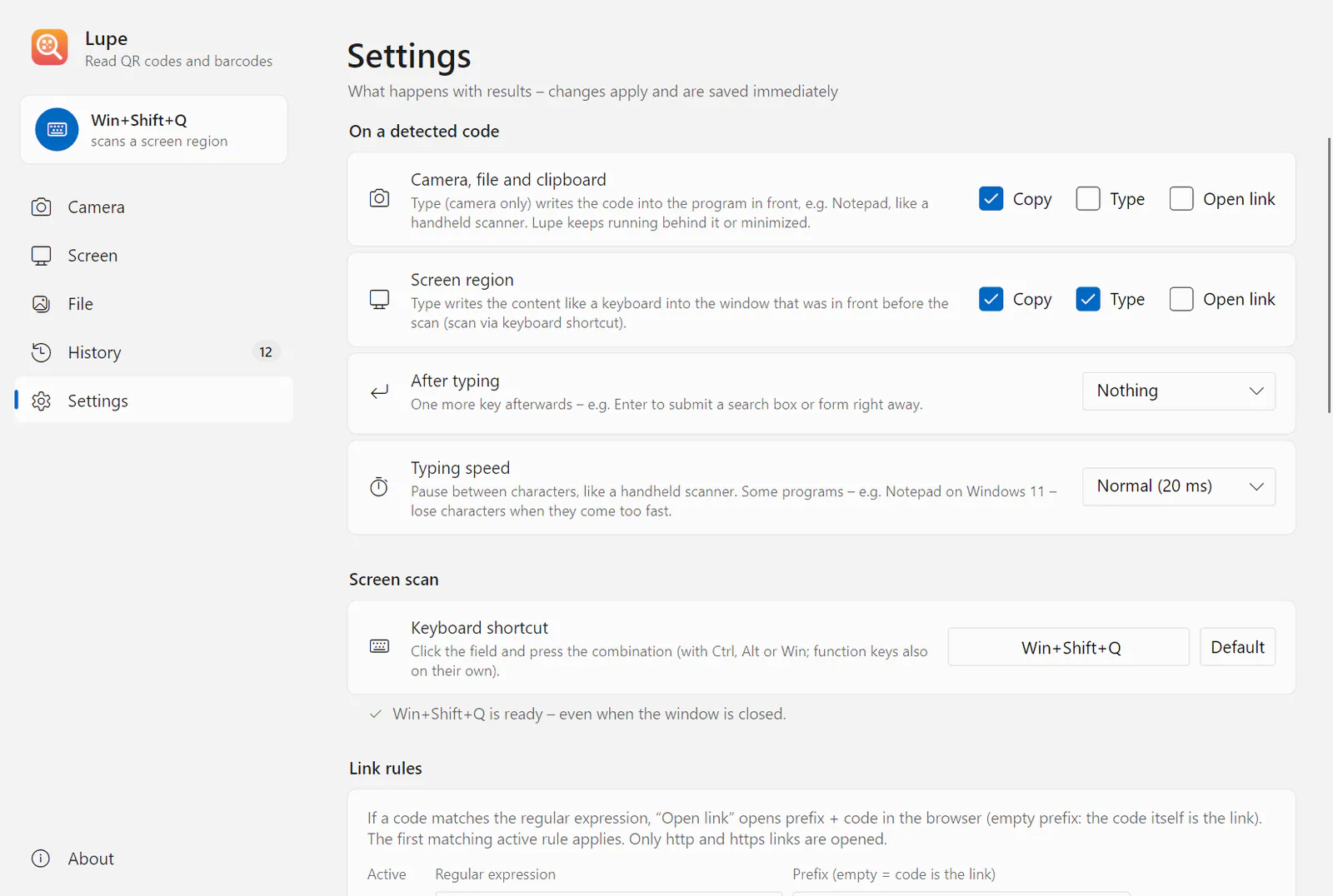
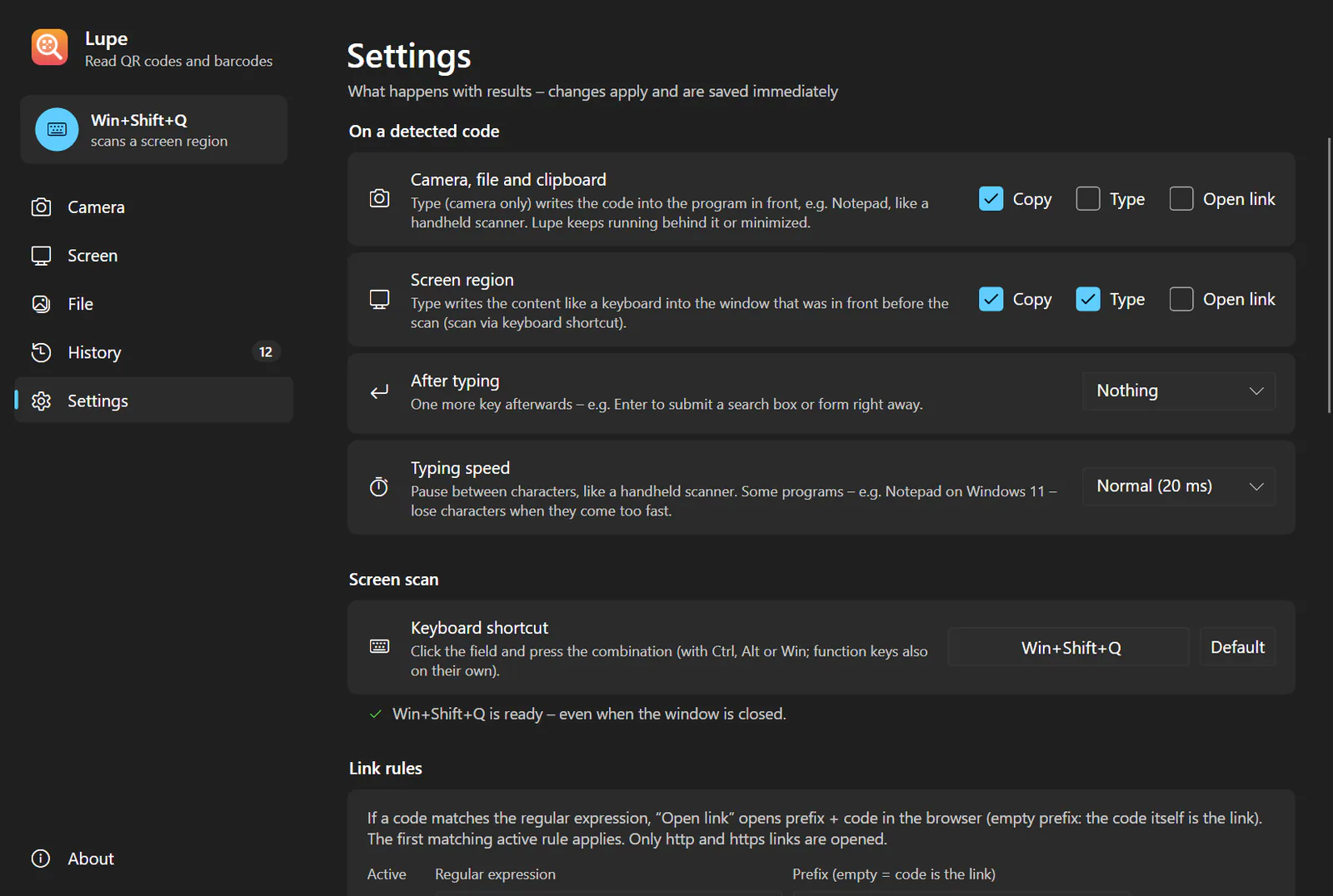
Settings and link rules Choose per source whether a result is copied, typed or opened as a link. Link rules turn a code into a link, e.g. an EAN into the item page of your ERP; only http and https are ever opened. -
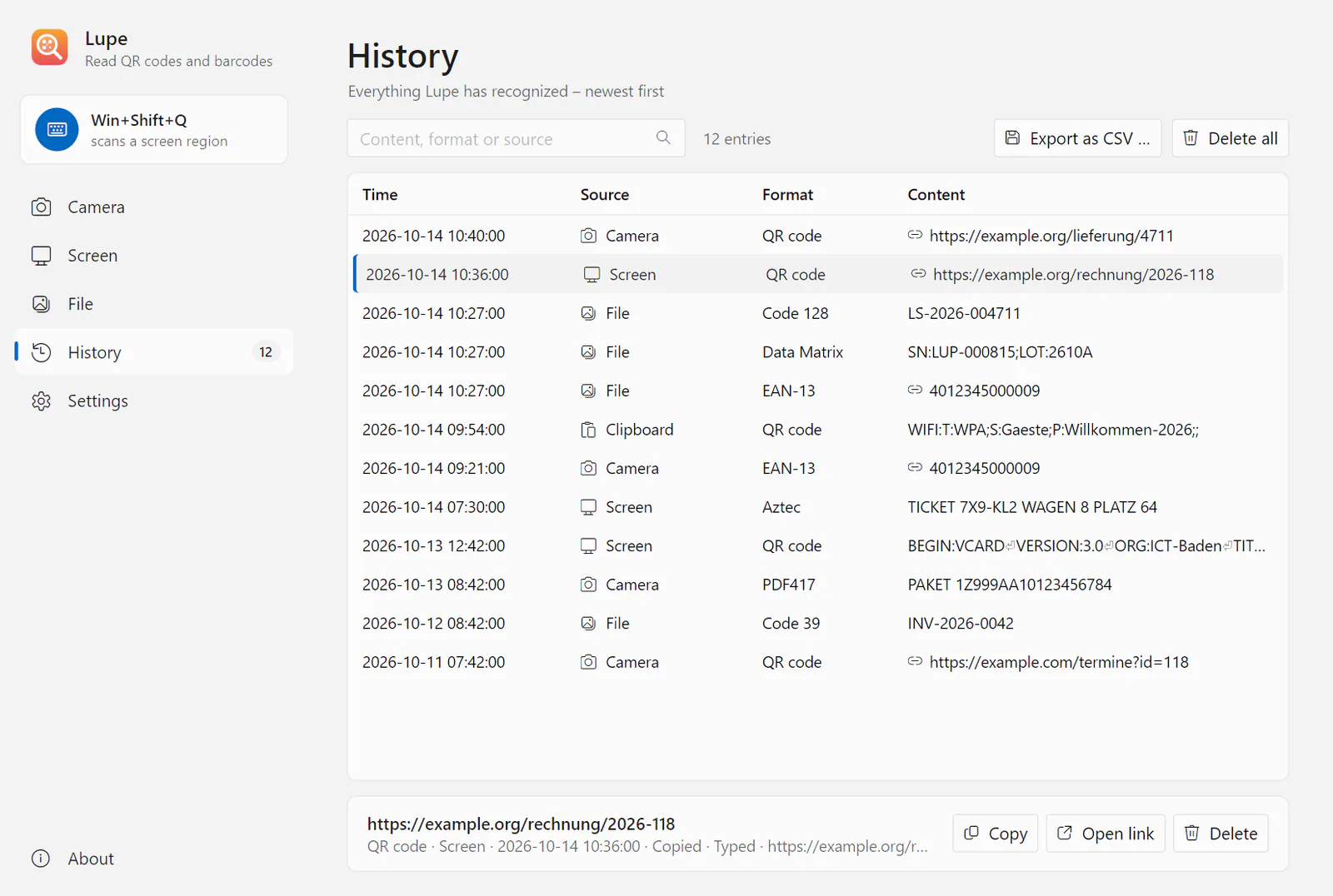
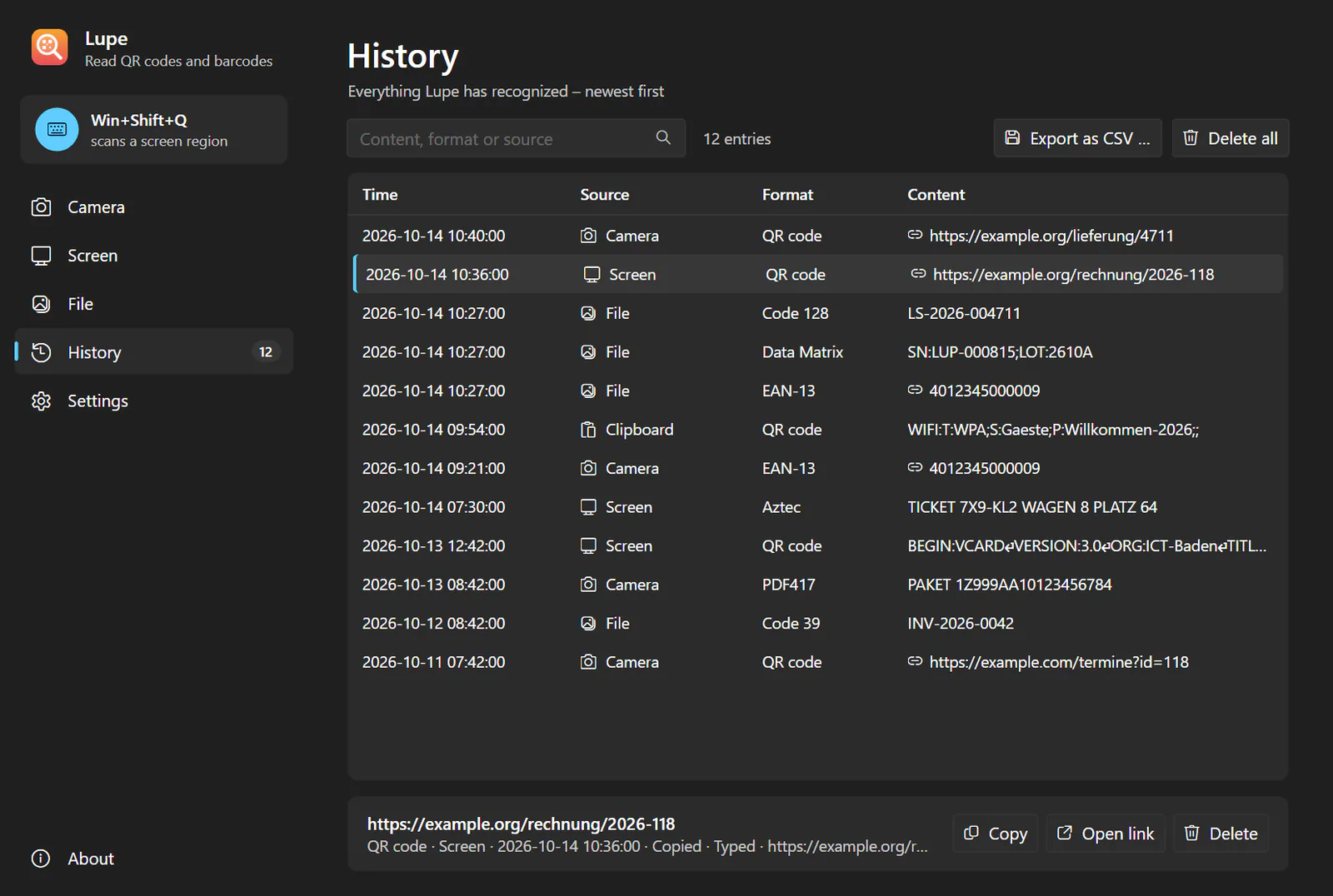
History Everything Lupe has read, searchable and exportable as CSV for Excel. Stored per user – or switched off, which deletes the file.
Frequently asked questions
How do I scan a QR code on my PC without a phone?
With Lupe, press Win+Shift+Q and drag a rectangle around the code on the screen – or hold the code in front of the webcam. The content goes to the clipboard and, if you like, is typed as keyboard input or opened as a link.
Can I scan barcodes on a PC without a barcode scanner?
Yes. Lupe can serve as a webcam barcode scanner: with typing switched on, the webcam works like a hand scanner and types every recognised code into the program in front. Codes on the screen, such as in a PDF, are read without a scanner or camera at all: press Win+Shift+Q (⌘+⌥+Q on the Mac) and drag a rectangle around the code – if you like, Lupe types the content into the window you came from.
Can I read a QR code from a screenshot, a PDF or an image file?
Yes. Open image files or drag them onto the File page, paste screenshots with Ctrl+V. Codes in an open PDF or e-mail are read directly by the screen scan.
Can I use my webcam as a barcode scanner that types into Excel (keyboard wedge)?
Yes. With typing switched on for the camera, Lupe works as a webcam keyboard wedge and types every code into the program in front, optionally followed by Enter or Tab – also while Lupe itself is behind that program or minimised.
Which barcode formats does Lupe read – does it work as a Data Matrix reader?
Yes, Lupe is a Data Matrix reader too: 22 formats, including QR Code, Micro QR, Data Matrix, Aztec, PDF417, Code 128 with GS1-128, Code 39, EAN-13, EAN-8, UPC-A, UPC-E, ITF-14 and GS1 DataBar.
What happens when there are several codes in one picture?
Lupe finds all of them and reports them in reading order. After a screen scan you pick one or copy them all, one per line.
Are my images or scans sent to the internet?
No. Lupe has no cloud recognition, no telemetry and no update check, and never stores an image. Only the history is kept locally per user – or switched off.
Does Lupe run on Linux and macOS?
Yes, there are packages for Linux (x64 and arm64, X11 and Wayland) and for macOS 12 or later. Both are newer and less tested than the Windows version.
Is there a free QR code reader for Windows that works offline?
Yes. Lupe is a QR code scanner for Windows 10 and 11, Linux and macOS, works entirely offline and is free of charge under the MIT licence. The download follows with the public release.
Is there a free alternative to commercial desktop QR readers?
Yes. Lupe reads QR codes and barcodes from the screen, image files, the clipboard and a webcam, on Windows, Linux and macOS, offline and free of charge under the MIT licence. Unlike desktop readers with a built-in generator, Lupe does not create QR codes – it only reads them. The download follows with the public release.
QR Code is a registered trademark of DENSO WAVE INCORPORATED. Windows, Excel and Microsoft Store are trademarks of the Microsoft group of companies, macOS and Mac are trademarks of Apple Inc.; Linux is a registered trademark of Linus Torvalds, Ubuntu a trademark of Canonical Ltd., Debian a registered trademark of Software in the Public Interest, Inc.; GS1 is a registered trademark of GS1 AISBL. They are named only to describe compatibility.
Contact
Interested in Lupe?
Tell us what you would like to use the product for – we will get back to you personally.