
Zutritt – Share and NTFS permissions report
Who can access what?
Zutritt is a permissions report for Windows file shares: it reads SMB share permissions and NTFS ACLs, resolves groups down to individual people, flags risky permissions with 15 rules and writes an Excel or PDF report you can sign off in an audit. Read-only, no server, no agent – for Windows 10 and 11, in English and German, free of charge under the MIT licence.
Coming soon: Download and source code will be published with the public release. If you would like to test ahead of it, sign up for the beta – we will get back to you personally.
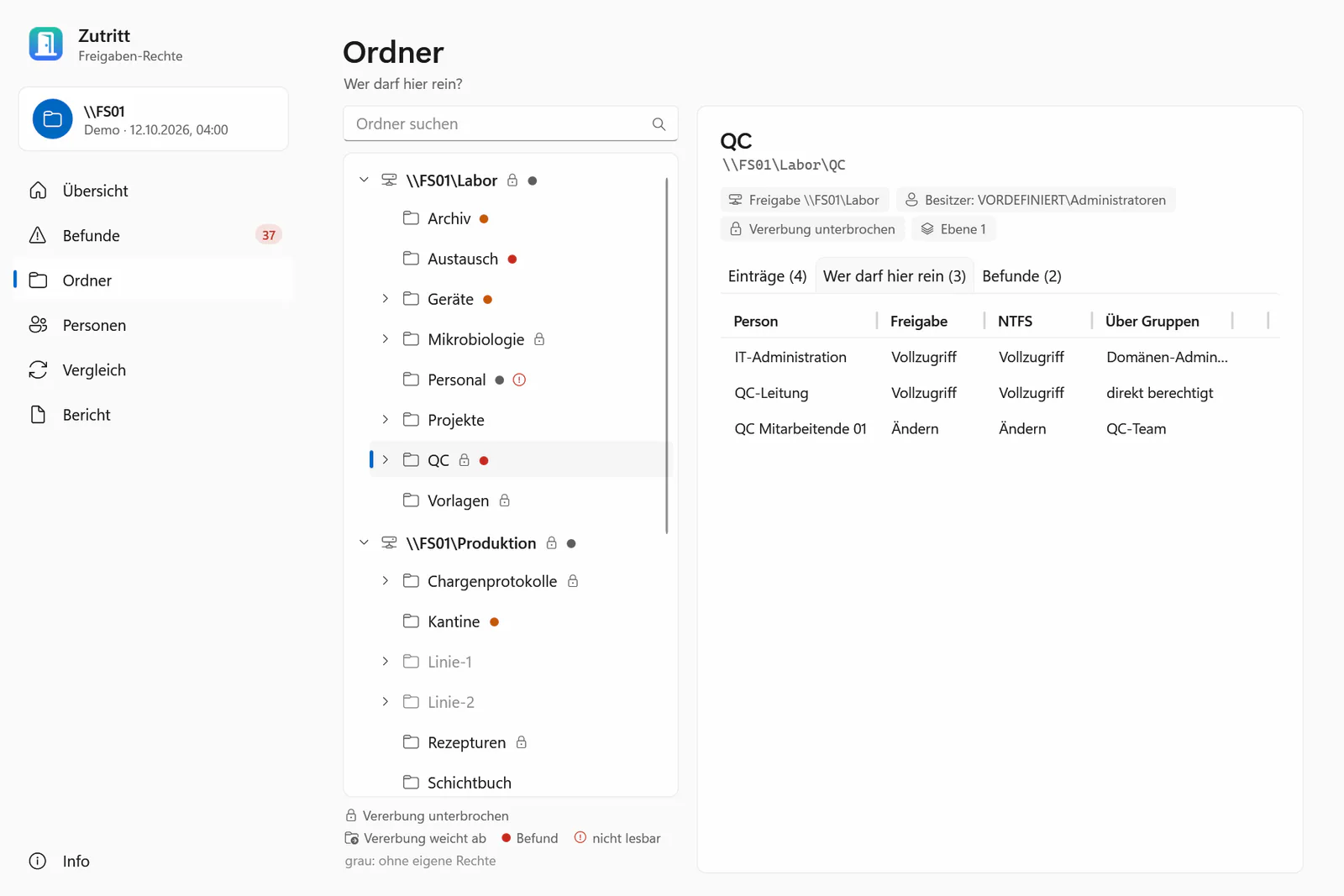
Who can access what – and through which group?
On file servers that have grown over the years, it is often hard to see who can go where: rights hang on nested groups, inheritance is broken somewhere, moved folders carried their old rights along. A periodic user access review for file shares still needs a clear answer and evidence.
Zutritt answers exactly that question – who can access what, and why – with a folder access report for admins and auditors who need the answer regularly without introducing a new platform.
What the permissions report covers
-
Read share and NTFS permissions
A share, a whole server, local folders or all shares of this PC. Junctions are recorded but not followed.
-
Effective permissions, computed like Windows
Stored ACE order (non-canonical lists included), deny entries, inheritance, OWNER RIGHTS and share combined with NTFS – checked against the Windows access check in the test suite.
-
Groups down to people
Local accounts and groups of the scanned server and, on domain-joined PCs, Active Directory – nested, with cycle protection.
-
Who can get in here? Where can this person go?
Per folder, every person with the effective right and the group chain; per person, every folder they can reach – including nested groups and disabled accounts.
-
15 rules with a recommendation
Broad group can write, orphaned SID, right given to an individual, full control for non-admins, hidden inheritance breaks, moved folders, entries in the wrong order – each with an explanation and a recommendation.
-
Comparison with the last run
New and resolved findings, changed ACL entries and group memberships – and who can now access more or less.
-
Excel to work with, PDF to sign
Filterable Excel workbook with every entry; PDF with cover, summary, findings and a sign-off block for reviewer, date, signature and remarks.
-
Command line and scheduled tasks
Zutritt.exe scanwith comparison and report, exit codes 0–3 for monitoring – e.g. every Monday morning as a scheduled task. Commands and options have English and German spellings.
The 15 rules for auditing folder permissions
| Rule | Severity | Finding | Meaning |
|---|---|---|---|
| ZT01 | High | Broad group can write | Everyone, Authenticated Users, Domain Users or similar can write |
| ZT02 | Medium | Broad group can read | a broad group can read |
| ZT03 | Medium | Right granted directly to a person | right given to an individual instead of a group |
| ZT04 | Medium | Orphaned SID | entry or owner points to a deleted account |
| ZT05 | High | Full control for non-admins | full control for an account or group that is not an administrator |
| ZT06 | Low | Deeply hidden exception | inheritance broken deep in the folder tree |
| ZT07 | Info | Deny entry | explicit deny entry |
| ZT08 | Info | Share: everyone can change | share permission gives Everyone or Authenticated Users at least Change |
| ZT09 | Info | Folder not readable | folder, file or target could not be read |
| ZT10 | Low | Owner is a user account | owner is a personal user account |
| ZT11 | Low | Empty group has rights | a group without members has rights |
| ZT12 | Medium | Disabled account has rights | a disabled account has its own rights |
| ZT13 | Info | Share permissions not readable | share permissions could not be read |
| ZT14 | Low | Permissions differ from inheritance | inherited entries do not match the parent – typically a moved folder |
| ZT15 | Medium | Entries not in canonical order | e.g. an allow before a deny – Windows evaluates the stored order and then grants something other than the entries seem to promise |
ACL findings are reported where an entry is set explicitly – not again on every folder that inherits it.
For access reviews and audits
Periodic reviews of access rights are expected in GMP environments (EU GMP Annex 11), under ISO/IEC 27001 (control A.5.18 “Access rights”) and NIS2. For a file share permissions audit, Zutritt produces the evidence: what was checked, by whom, when, with which result and what changed since last time – and a page to sign.
Zutritt is not a validated system and makes no compliance claim. It is a read-only analysis tool; how it is qualified and used in a regulated process is up to the operator.
Switching from commercial permission reporting tools: Zutritt as an alternative
If you report on file share permissions with a commercial permission reporting tool today, Zutritt does the same job: showing who can access which folder. What Zutritt offers:
- share and NTFS permissions together, effective permissions computed like Windows – tested against the Windows access check
- groups down to individual people: local accounts and groups of the server and Active Directory of the own domain, nested
- 15 rules with an explanation and a recommendation, and a comparison with the last run
- Excel workbook with filters and a PDF with a sign-off block
- read-only, no server, agent or service; command line with exit codes for scheduled tasks
- free of charge under the MIT licence, no licence key, no licence server, no telemetry
Worth knowing before you switch: Zutritt runs only on Windows 10 version 1809 or later and Windows 11 (x64), resolves Active Directory only for the scanning PC’s own domain and has so far been tested against a simulated directory only. It does not monitor continuously and does not change permissions.
System requirements
- Operating system
- Windows 10 version 1809 or later, or Windows 11, x64 – Windows only, because NTFS, shares and Active Directory can only be read there
- .NET
- not needed for the MSI and Zutritt.exe; the ZIP needs the .NET 10 Desktop Runtime
- Rights
- an account that can read the permissions you want to see; share permissions need administrator rights on the server
- Active Directory
- optional, when the scanning PC is a member of the domain
- Language
- user interface, command-line output and reports in English, German, Spanish, French and Chinese (the last three machine-translated, not yet reviewed by native speakers)
Limits, honestly
- Pre-release, not code-signed yet: SmartScreen may warn; the downloads can be checked with SHA256SUMS.txt.
- Active Directory only for the scanning PC’s own domain; groups from trusted domains are named but not expanded. Tested against a simulated directory so far, not yet in a real domain.
- When in doubt, Zutritt shows more access, not less: conditional allow entries count, conditional deny entries do not, unreadable share permissions mean “NTFS only”.
- Files are only examined with
--dateien, and then only files with their own permissions. - Very large reports are truncated with a visible notice – the PDF earlier than the Excel workbook.
- No continuous monitoring and no file-access auditing; Zutritt deliberately does not change permissions.
What Zutritt looks like
Screenshots with sample data from the demo mode (German user interface).
-
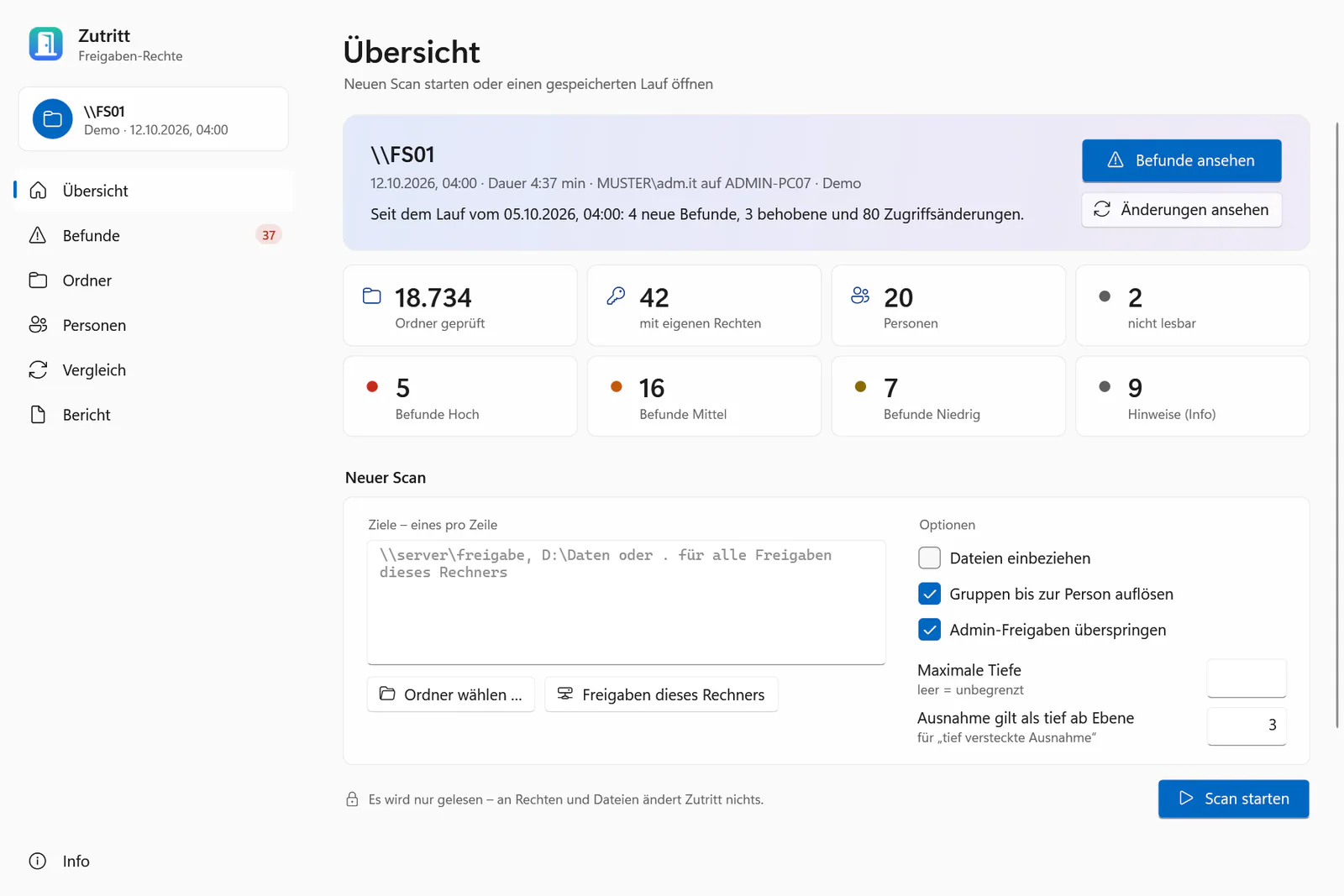
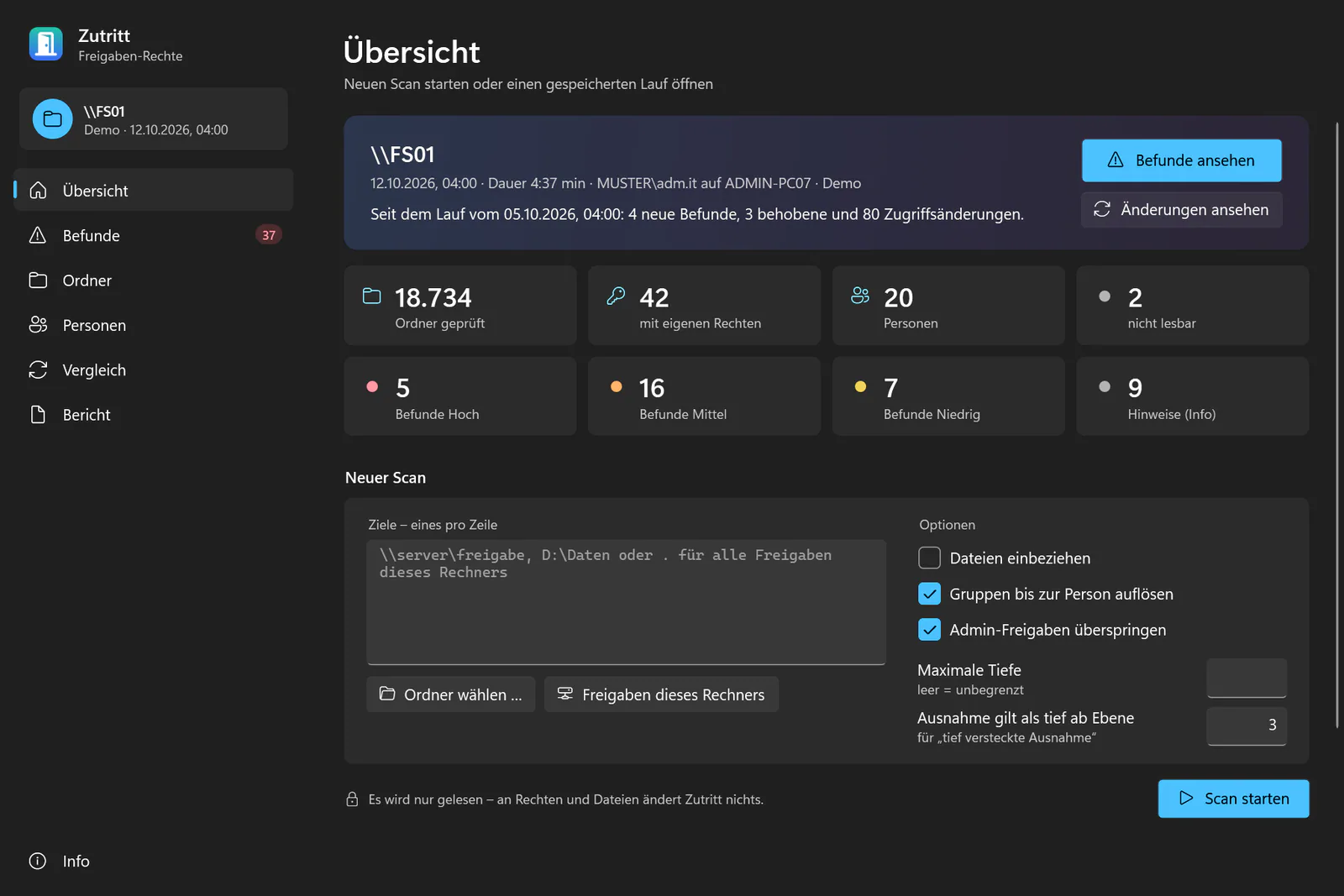
Scan shares, servers and folders A share, a whole server, local folders or all shares of this PC. Junctions are recorded but not followed. -
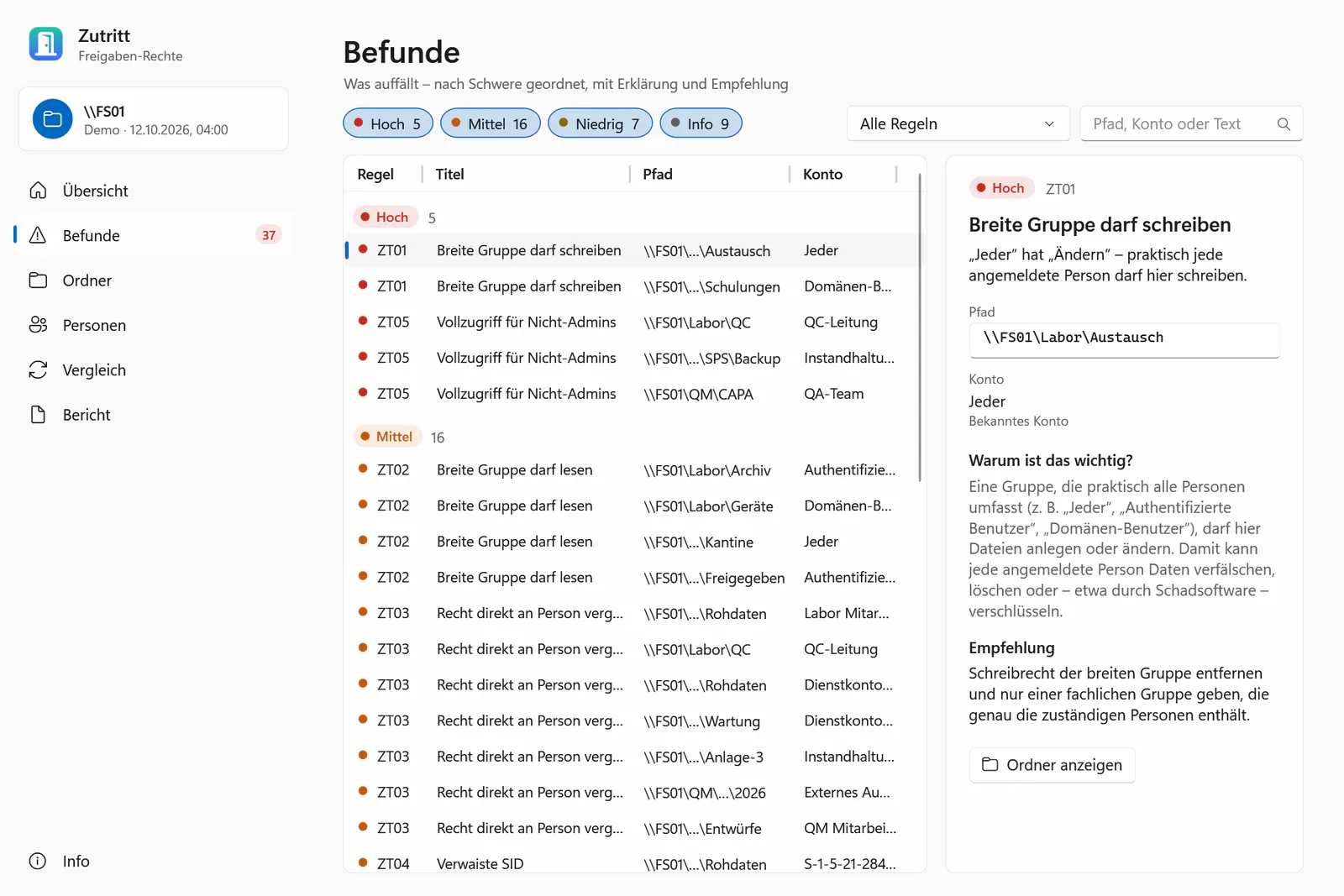
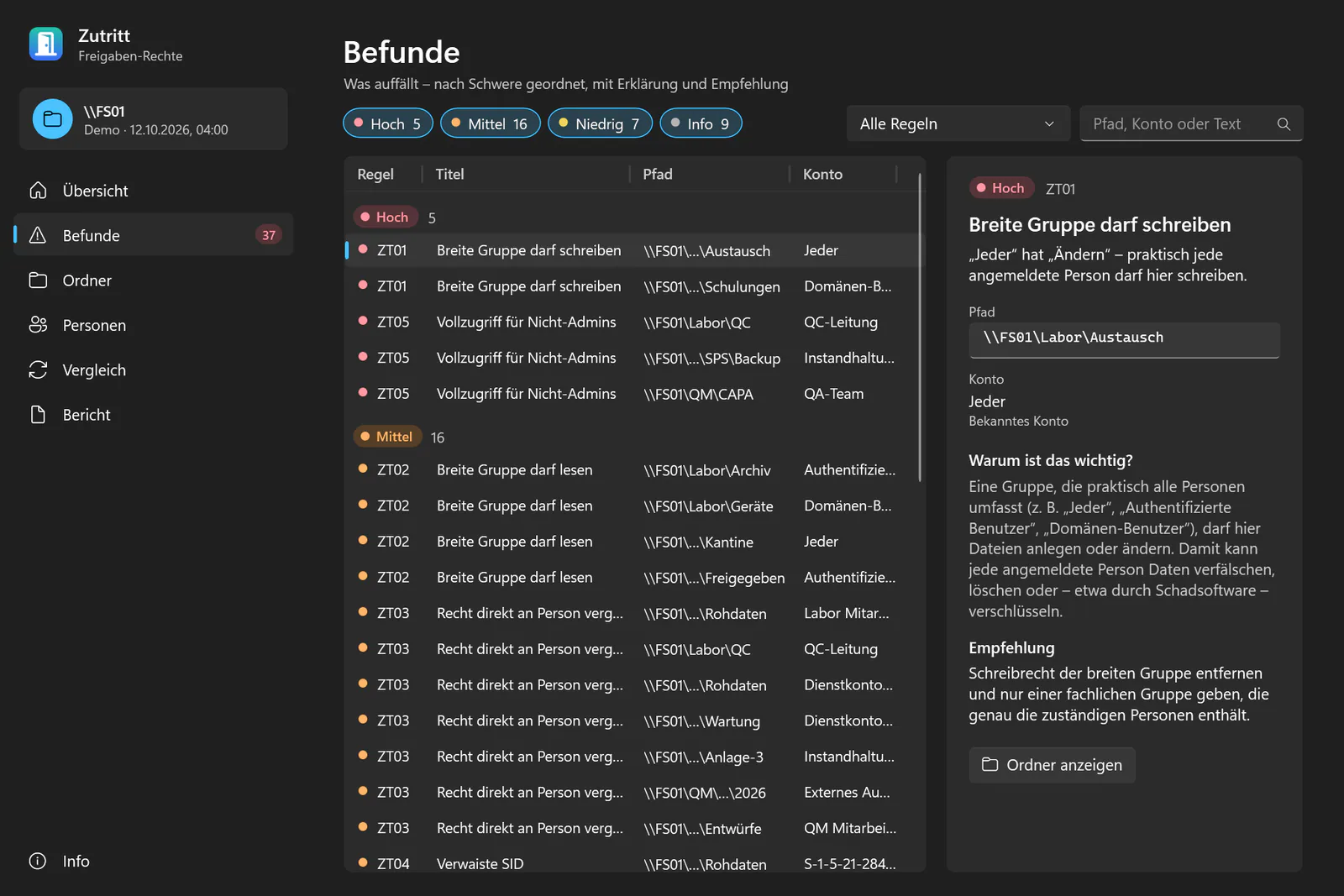
15 rules with a clear recommendation Everyone can write, orphaned SIDs, rights given to individuals, hidden inheritance breaks, moved folders – each with “why it matters”. -
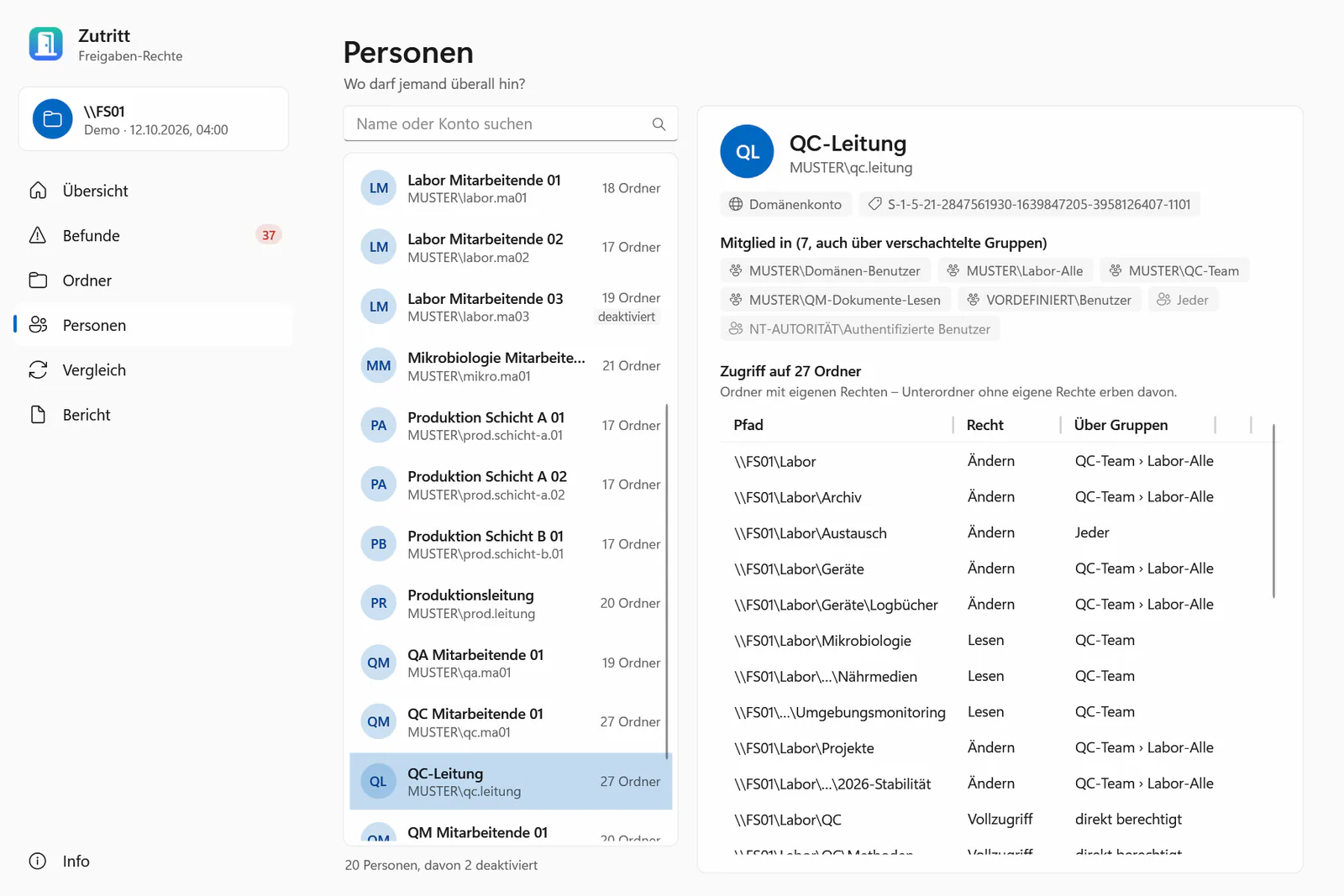
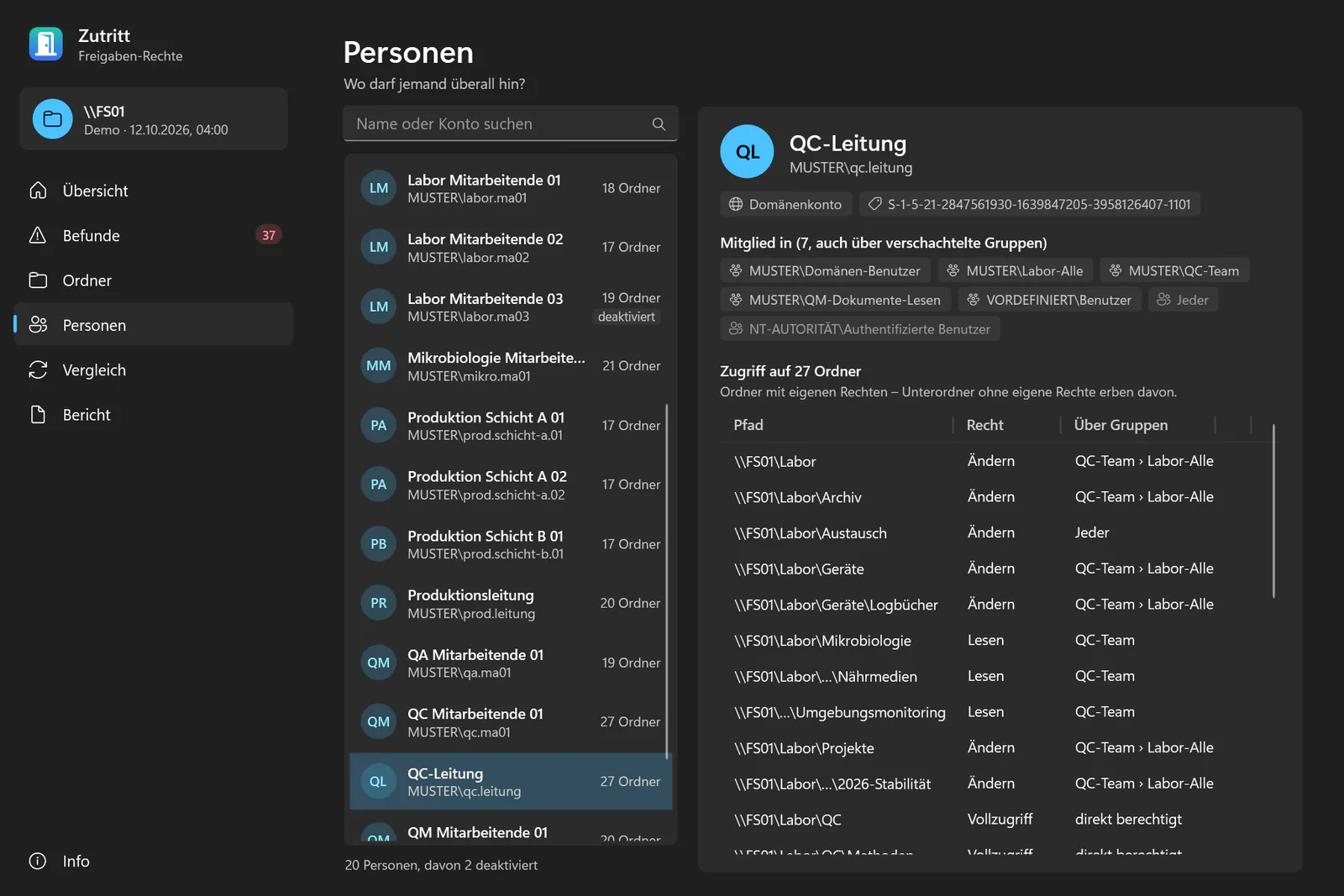
Where can this person go? Every folder a person can reach, the effective right and the groups behind it – including nested groups and disabled accounts. -
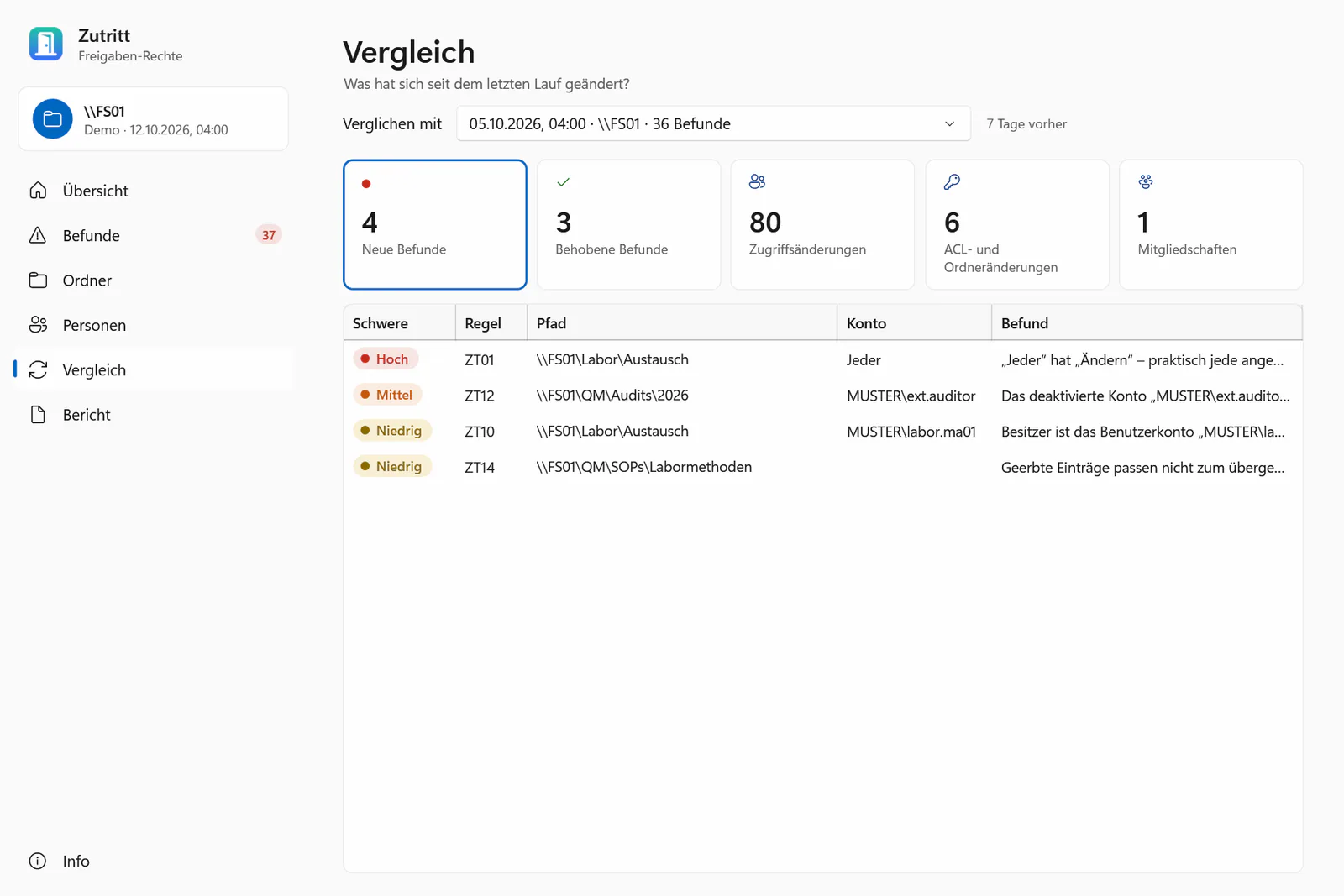
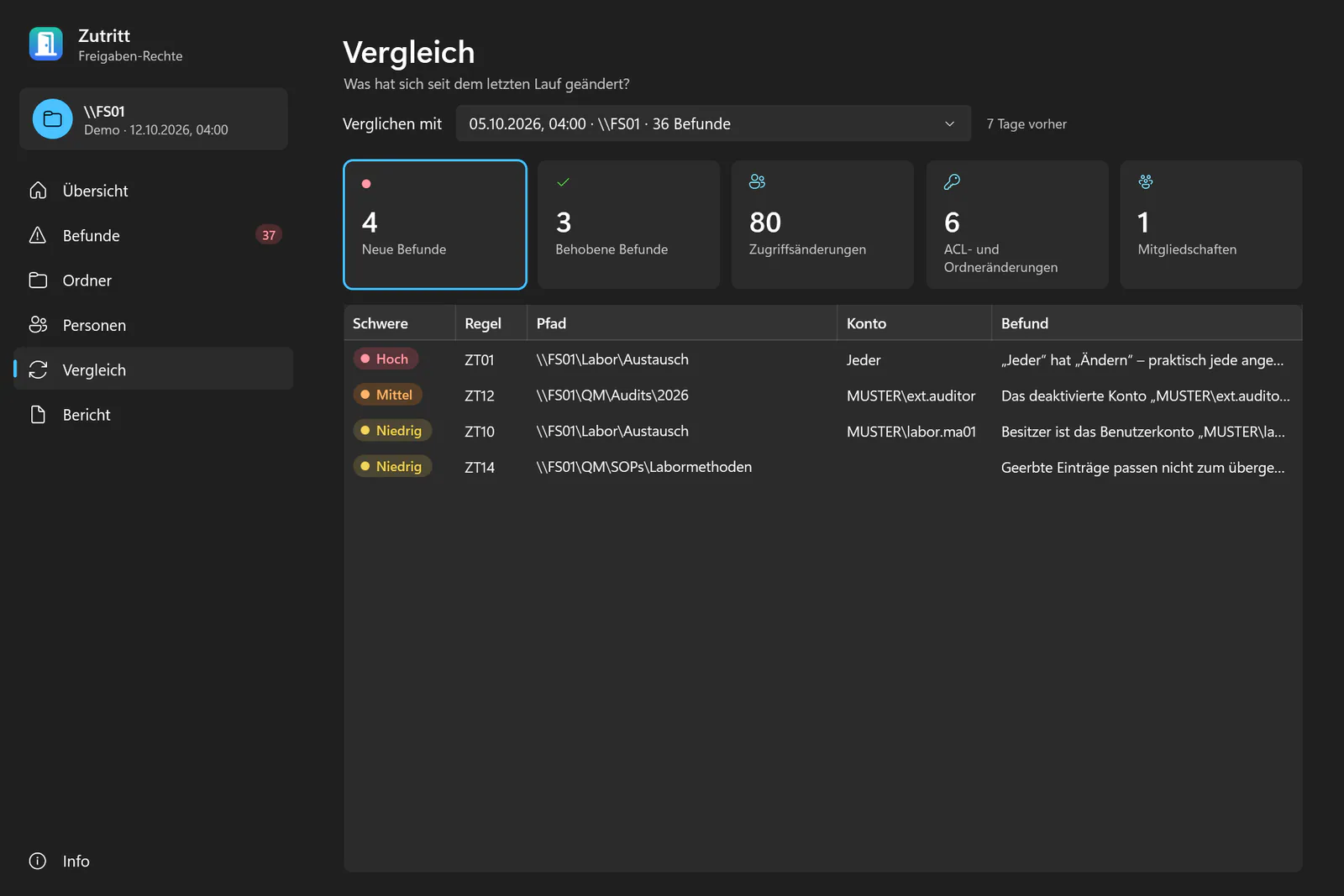
What changed since the last run? New and resolved findings, changed ACL entries and group memberships, and who can now access more or less. -
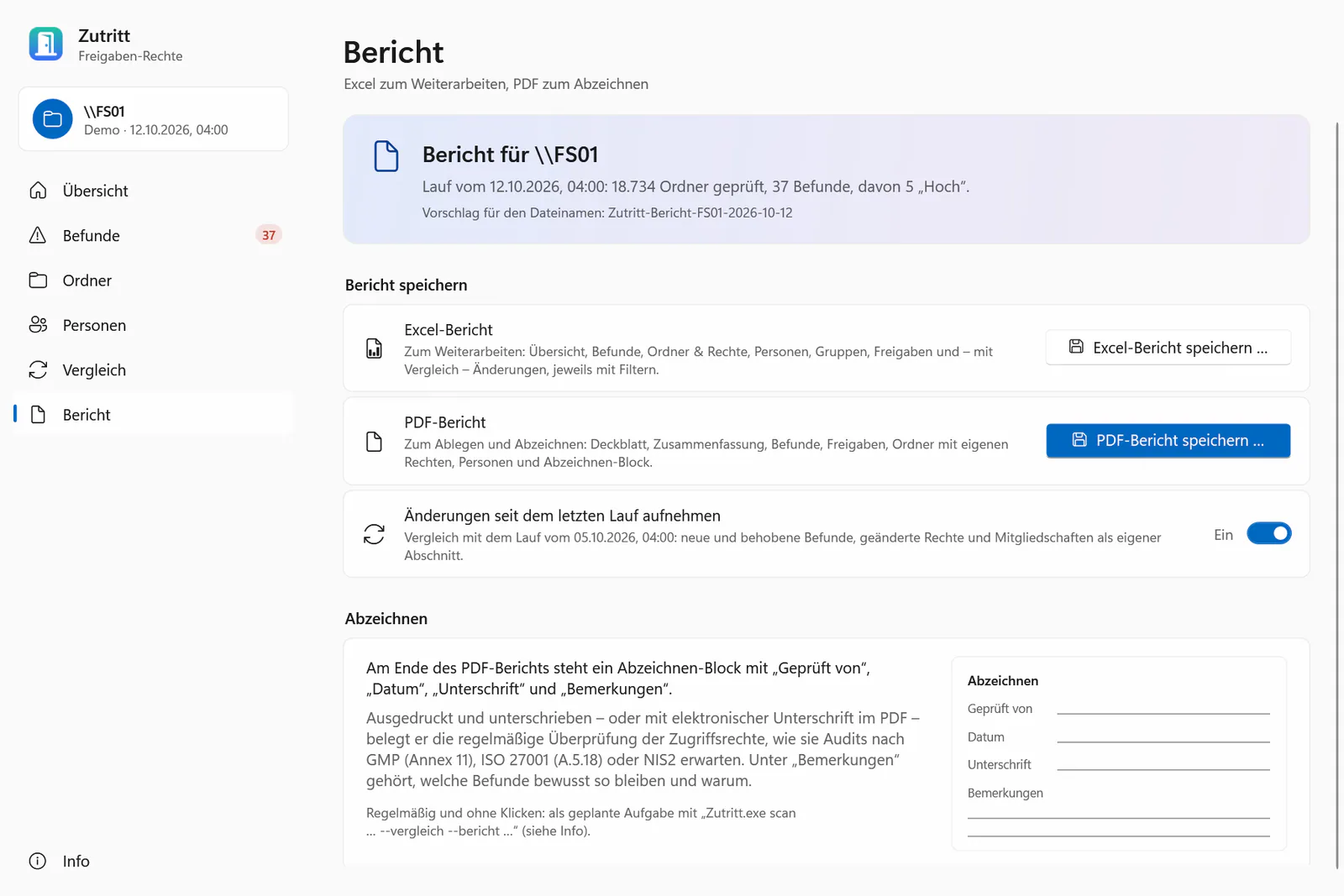
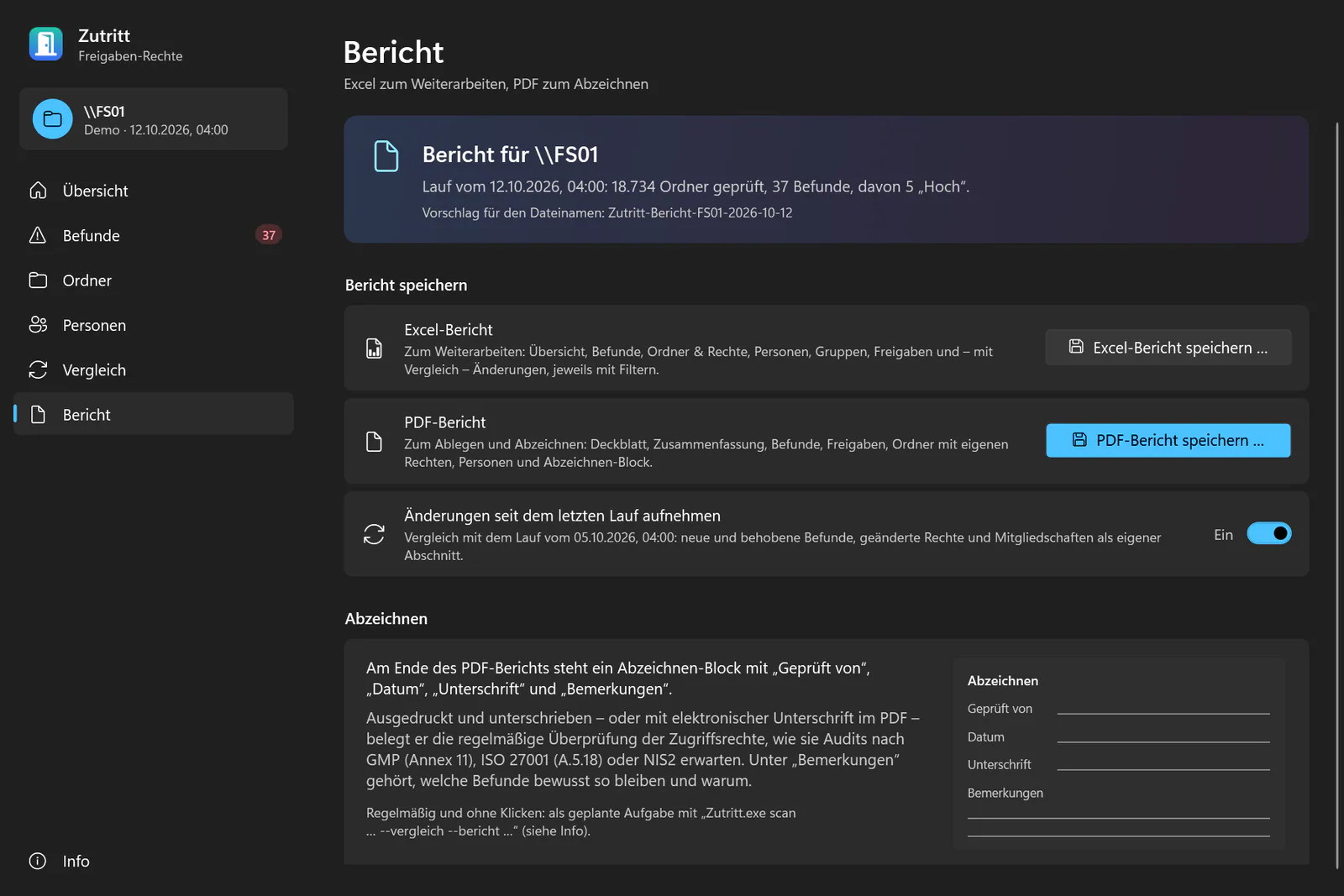
Excel to work with, PDF to sign Filterable Excel workbook with every entry; PDF with cover, summary, findings and a sign-off block for the access review.
Frequently asked questions
How do I get an NTFS and share permissions report for a whole file server?
With Zutritt: enter the share, server or folder and start the scan. Zutritt reads every folder with its own permissions; on the report page you can then export folder permissions to Excel as a filterable workbook, or save the report as a PDF.
How can I see who has access to this folder – and through which group?
The folder view (“who can get in here”) shows, per folder, every person with the effective right over share and NTFS and the groups the access comes through.
How do I list all folders a user has access to?
The people page lists every folder a person can reach, with the effective right and the group chain – including nested groups.
How do share and NTFS permissions combine into effective permissions?
Over the network the more restrictive of the two applies. Within NTFS, the stored order of the entries, deny entries and inheritance count. Zutritt computes this like Windows and is tested against it; rule ZT15 reports entries that are not in canonical order.
How do I find orphaned SIDs in folder permissions?
Rule ZT04 reports entries or owners that point to deleted accounts – but only when the responsible account database was reachable. Otherwise the result is “unknown”, not a deletion hint.
Does Zutritt change permissions?
No. Zutritt only reads; it changes no permissions, files or accounts and needs no server, agent or service.
Is any data sent to ICT Baden?
No: no telemetry, no crash reports, no update check. Runs are stored in a per-user SQLite file on the scanning PC.
Is Zutritt free?
Yes, Zutritt is free of charge under the MIT licence. The download follows with the public release.
Is there a free alternative to commercial permission reporting tools for file shares?
Zutritt does the same job – reading share and NTFS permissions and showing who can access what – and is free of charge under the MIT licence. It adds 15 rules, a comparison with the last run and a PDF report to sign. The download follows with the public release.
Related products


Windows, Active Directory and Excel are trademarks of the Microsoft group of companies. They are named only to describe compatibility.
Contact
Interested in Zutritt?
Tell us what you would like to use the product for – we will get back to you personally.